The CDS 1 2026 Admit Card is one of the most important documents for candidates appearing in the Combined Defence Services Examination. If you have successfully applied for the exam, then your next step is to download the Admit Card as soon as it is released.
The Union Public Service Commission (UPSC) will release the CDS 1 2026 Admit Card on its official website. Without the Admit Card, candidates will not be allowed to enter the examination hall under any circumstances.
In this blog, you will get complete details about the CDS 1 2026 Admit Card, including release date, direct download link, steps to download, exam pattern, timing breakdown, important instructions, and final week preparation strategy.
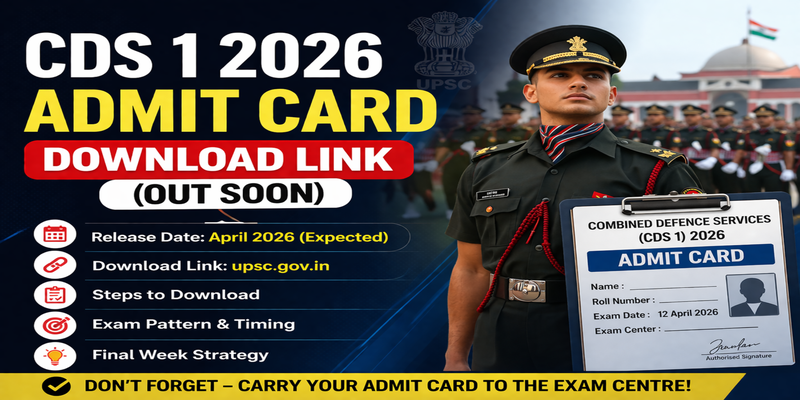
CDS 1 2026 Admit Card Release Date
Candidates are eagerly waiting for the Admit Card. Based on previous year trends:
- CDS 1 2026 Exam Date: 12 April 2026
- CDS 1 2026 Admit Card Release Date: Expected in the first week of April 2026
UPSC usually releases the Admit Card 7–10 days before the examination. So, candidates should regularly check the official website.
CDS 1 2026 Admit Card Overview
Here is a quick overview of the Admit Card:
| Particular | Details |
|---|---|
| Exam Name | Combined Defence Services (CDS) |
| Conducting Body | UPSC |
| Exam Date | 12 April 2026 |
| Admit Card Release | April 2026 (Expected) |
| Mode of Admit Card | Online |
| Official Website | upsc.gov.in |
| Credentials Required | Registration ID / Roll Number |
The CDS 1 2026 Admit Card will be available only online and will not be sent via post.
CDS 1 2026 Admit Card Download Link
Candidates can download the CDS 1 2026 Admit Card from the official UPSC website.
👉 Official Website: https://upsc.gov.in
👉 Admit Card Page: https://upsconline.gov.in/eadmitcard/
Once released, the CDS 1 2026 Admit Card link will be activated here.
Steps to Download CDS 1 2026 Admit Card
Follow these simple steps to download your Admit Card:
- Visit the official UPSC website
- Click on the “Admit Card” section
- Select CDS 1 2026 exam link
- Read all instructions carefully
- Choose login method (Registration ID / Roll Number)
- Enter details and captcha
- Click on Submit
- Your Admit Card will appear on the screen
- Download and take a printout
Make sure you download the Admit Card before the last date to avoid server issues.
Details Mentioned on Admit Card
After downloading the CDS 1 2026 Admit Card, carefully check the following details:
- Candidate Name
- Roll Number
- Registration ID
- Date of Birth
- Exam Date and Time
- Exam Centre Address
- Photograph and Signature
- Important Instructions
If there is any mistake in the Admit Card, contact UPSC immediately.
Documents Required with CDS 1 2026 Admit Card
Candidates must carry the following documents along with the CDS 1 2026 Admit Card:
- Printed copy of the CDS 1 2026 Admit Card
- Valid Photo ID Proof (Aadhaar, PAN, Voter ID, etc.)
- Passport-size photograph (recommended)
Without the Admit Card, entry to the exam hall will not be allowed.
Important Instructions for Admit Card
Keep these important points in mind:
- Carry your CDS 1 2026 Admit Card to the exam centre
- Reach the centre before reporting time
- Do not carry electronic gadgets
- Follow all instructions mentioned on the Admit Card
The CDS 1 2026 Admit Card acts as your entry pass.
CDS 1 2026 Exam Pattern
For IMA, INA & AFA:
| Subject | Marks | Duration |
|---|---|---|
| English | 100 | 2 Hours |
| General Knowledge | 100 | 2 Hours |
| Mathematics | 100 | 2 Hours |
For OTA:
| Subject | Marks | Duration |
|---|---|---|
| English | 100 | 2 Hours |
| General Knowledge | 100 | 2 Hours |
CDS 1 2026 Exam Pattern & Timing Breakdown
Understanding the timing is very important after downloading the CDS 1 2026 Admit Card.
For IMA / INA / AFA Candidates:
| Paper | Timing |
|---|---|
| English | 9:00 AM – 11:00 AM |
| General Knowledge | 12:00 PM – 2:00 PM |
| Mathematics | 3:00 PM – 5:00 PM |
For OTA Candidates:
| Paper | Timing |
|---|---|
| English | 9:00 AM – 11:00 AM |
| General Knowledge | 12:00 PM – 2:00 PM |
The exact reporting time and schedule will be mentioned on your Admit Card.
CDS 1 2026 Exam Centres
The CDS exam will be conducted in various cities across India:
- Delhi
- Mumbai
- Chennai
- Kolkata
- Jaipur
- Lucknow
- Hyderabad
Your exact exam centre will be mentioned on your Admit Card.
Final Week Strategy for CDS 1 2026 with Doon Defence Dreamers
After downloading the CDS 1 2026 Admit Card, the last week becomes very crucial.
1. Revise Important Topics
Focus only on revision. Do not start anything new after getting your CDS 1 2026 Admit Card.
2. Practice Previous Year Papers
Solve previous year questions daily to boost confidence.
3. Attempt Mock Tests
Take full-length mock tests to improve speed and accuracy.
4. Plan Exam Strategy
Decide which section to attempt first. The Admit Card will help you understand timing.
5. Stay Healthy
Take proper sleep and avoid stress.
6. Visit Exam Centre
If possible, visit your exam centre one day before the exam.
Common Mistakes to Avoid
Candidates often make these mistakes related to the CDS 1 2026 Admit Card:
- Downloading admit card at the last moment
- Not checking details properly
- Forgetting to carry the Admit Card
- Not carrying ID proof
- Reaching late
Avoid these mistakes to ensure a smooth experience.
What If You Forget Login Details?
If you forget your credentials:
- Use “Forgot Registration ID” option
- Enter basic details
- Retrieve your ID
Then download your CDS 1 2026 Admit Card easily.
Important Reminder
- Admit Card will be released in April 2026
- Exam Date: 12 April 2026
- Admit card is mandatory
Keep checking the official website for updates on theAdmit Card.
Conclusion
The CDS 1 2026 Admit Card is a crucial document for every candidate. Without it, entry to the exam hall is not allowed.
Make sure you download your CDS 1 2026 Admit Card on time, verify all details, and follow all instructions carefully.
Frequently Asked Questions (FAQs) – CDS 1 2026 Admit Card
1. When will the CDS 1 2026 Admit Card be released?
The CDS 1 2026 Admit Card is expected to be released in the first week of April 2026. UPSC usually releases the admit card 7–10 days before the exam date.
2. How can I download the Admit Card?
You can download the Admit Card by visiting the official UPSC website, selecting the admit card section, and logging in using your Registration ID or Roll Number.
3. What is the official website to download Admit Card?
The official website to download the CDS 1 2026 Admit Card is https://upsc.gov.in. You can also access it through the UPSC admit card portal.
4. What details are required to download Admit Card?
To download theAdmit Card, you need your Registration ID or Roll Number along with your Date of Birth.
5. Is it mandatory to carry Admit Card to the exam centre?
Yes, it is mandatory to carry theAdmit Card to the exam centre. Without it, candidates will not be allowed to enter the examination hall.